
3. Managing Your Organization
Note: Organization settings aren't available to the "Member" role. You must have the "Admin" role in the organization to manage it.
3.1 Organization Profile
This is where you manage your logos and color, on the org settings page. 2play uploads your logo for you, and renters see it during a rental.
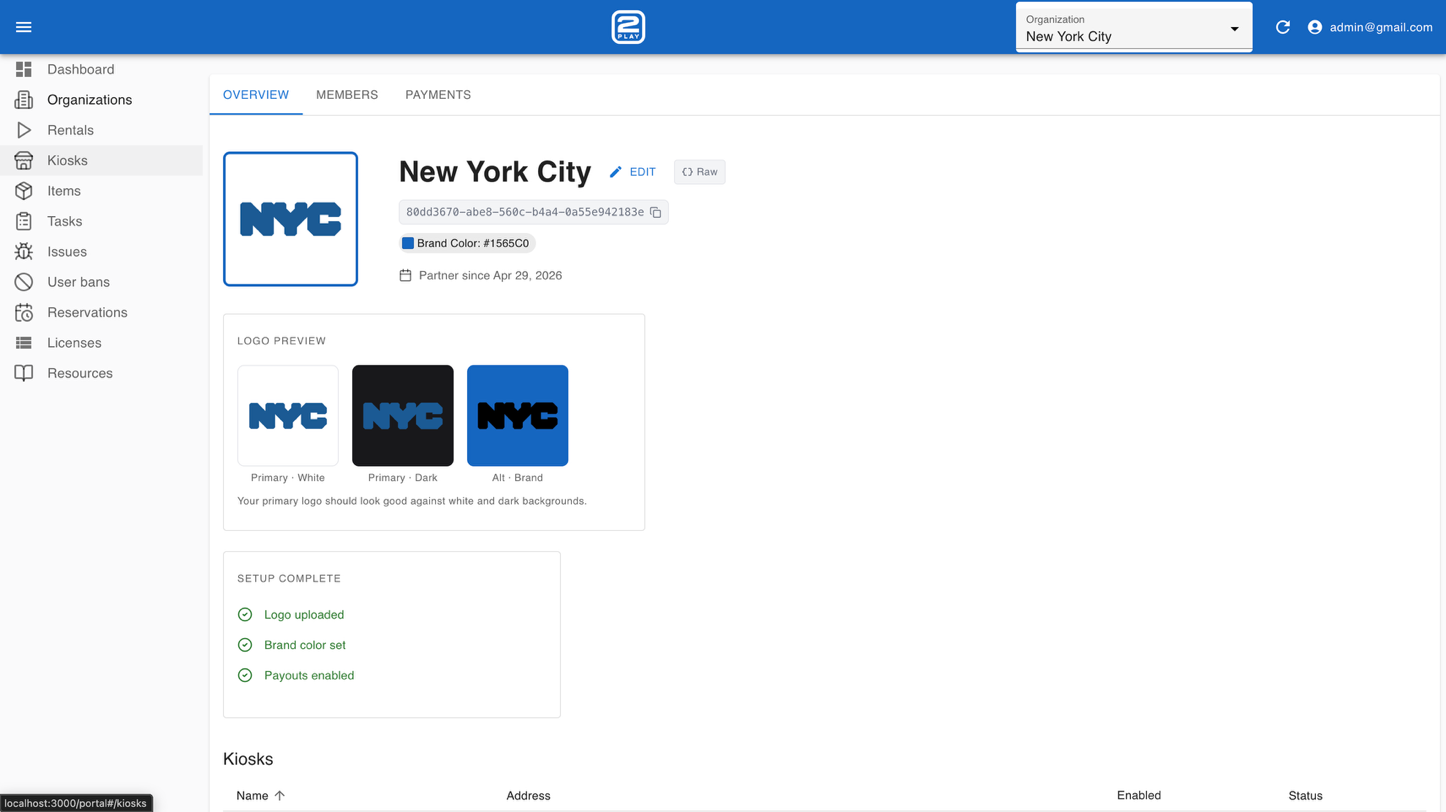
Org settings page
3.2 Stripe Connect & Payouts
2play uses Stripe Connect to send rental and donation revenue to your organization.
How payouts work
Every organization has a ledger. When a user makes a payment at one of your kiosks, the amount (net of processing fees) is credited to your org's ledger. Payouts run on a recurring schedule: the credited balance is transferred to your Stripe account, and Stripe then transfers it to the bank account you connected through Stripe Connect.
You don't need a bank account connected to operate. Until you connect one, payouts accumulate in your ledger and transfer over automatically once your bank account is connected.
Connecting your bank account
From the org settings page, click "Connect with Stripe" and follow the steps. Once verified, Stripe will start sending recurring payouts.
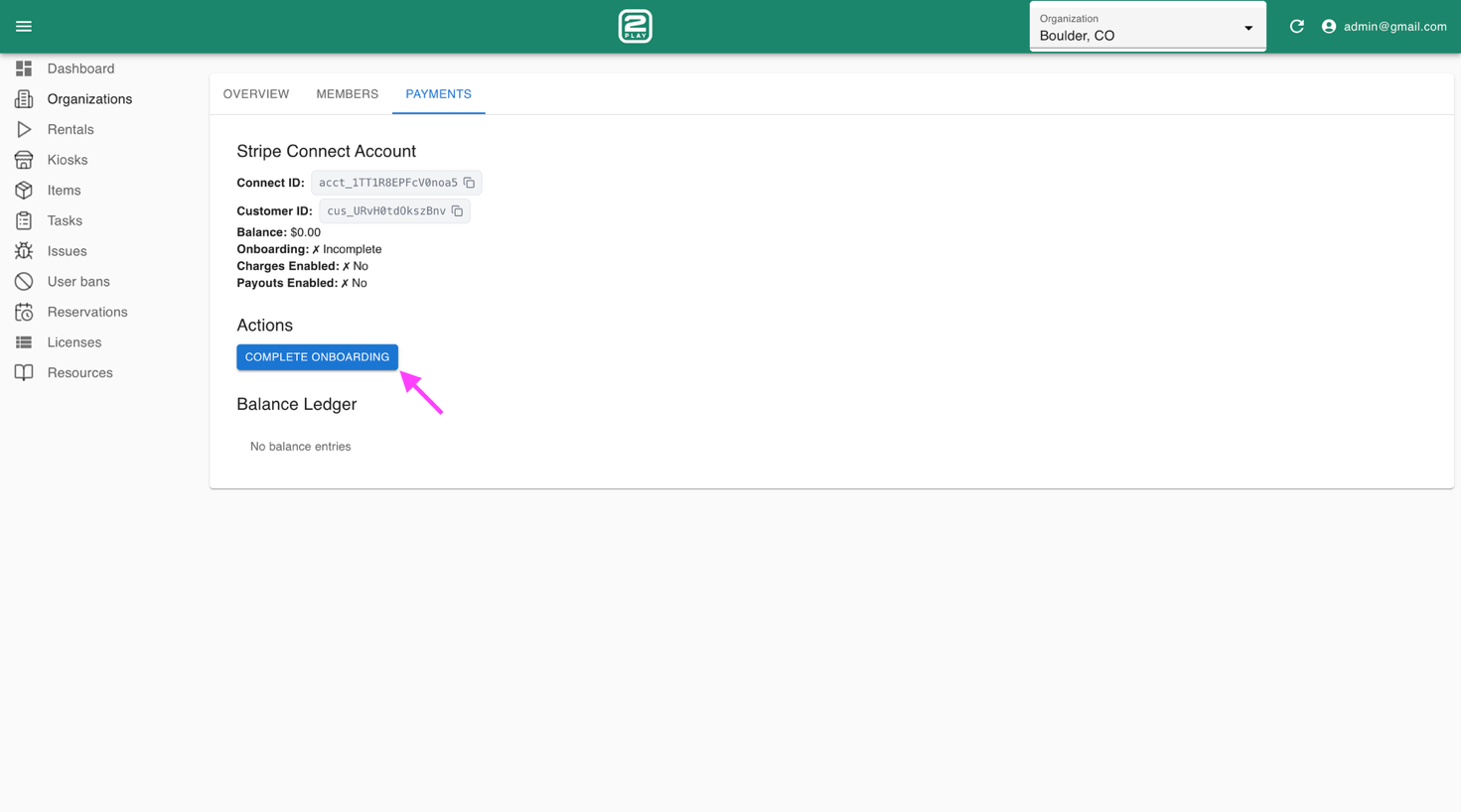
Stripe Connect setup flow
Refunds and disputes
Refunds and disputes are handled directly between 2play and the user. Refunded amounts are deducted from your org's ledger before the next payout runs.
When a user disputes a charge, the disputed amount plus a $15 dispute fee is applied directly to your org's ledger. 2play has an automated flow for fighting disputes when we believe the user is at fault. If we win the dispute, the disputed amount and the original $15 dispute fee are credited back to your org's ledger.
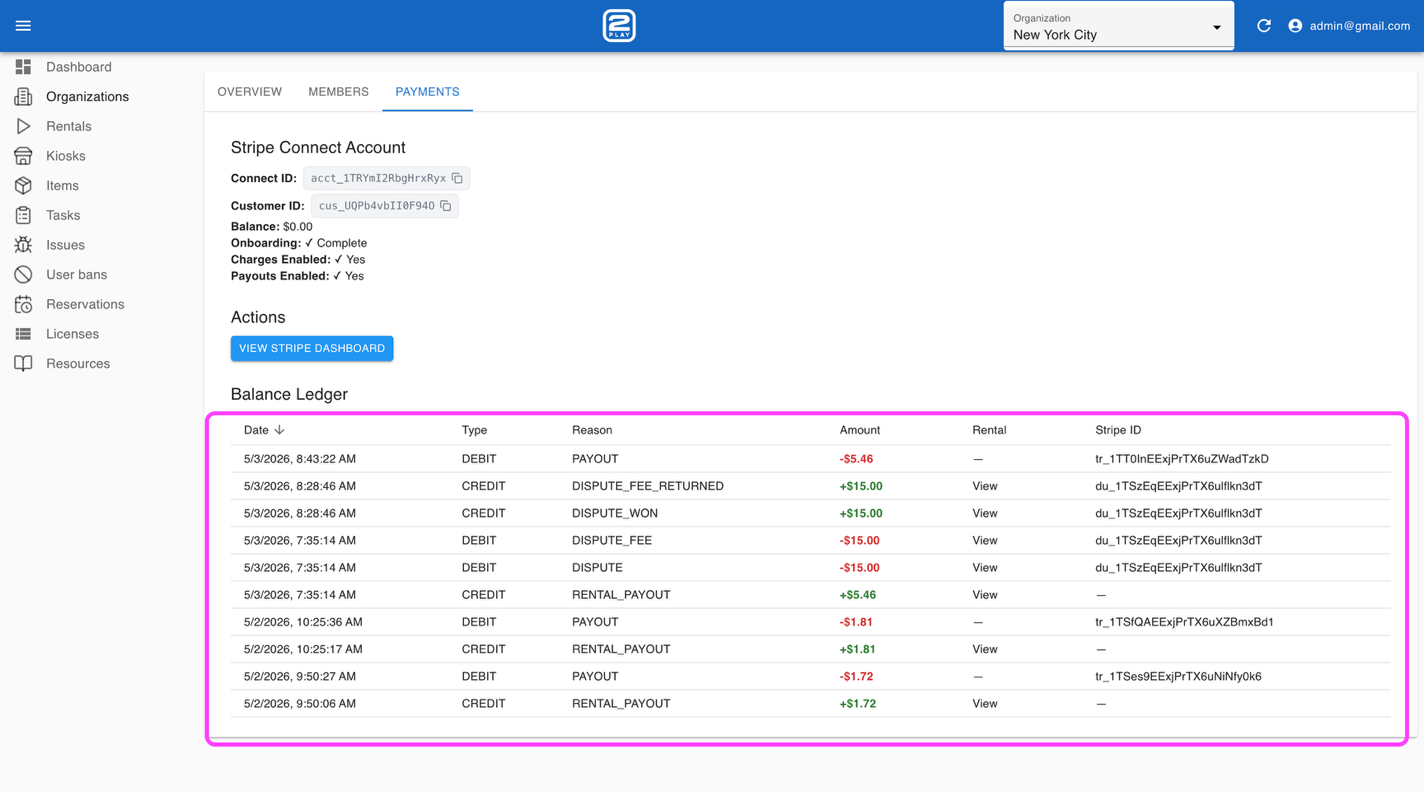
Org payout history
3.3 Licenses
Every kiosk must have an active license to operate. Your kiosks ship ready to use — initial licenses are activated before delivery.
License terms can be different lengths depending on what you signed up for. You can view all of your active licenses, their end dates, and any upcoming charges in PlayPortal under the Licenses section.
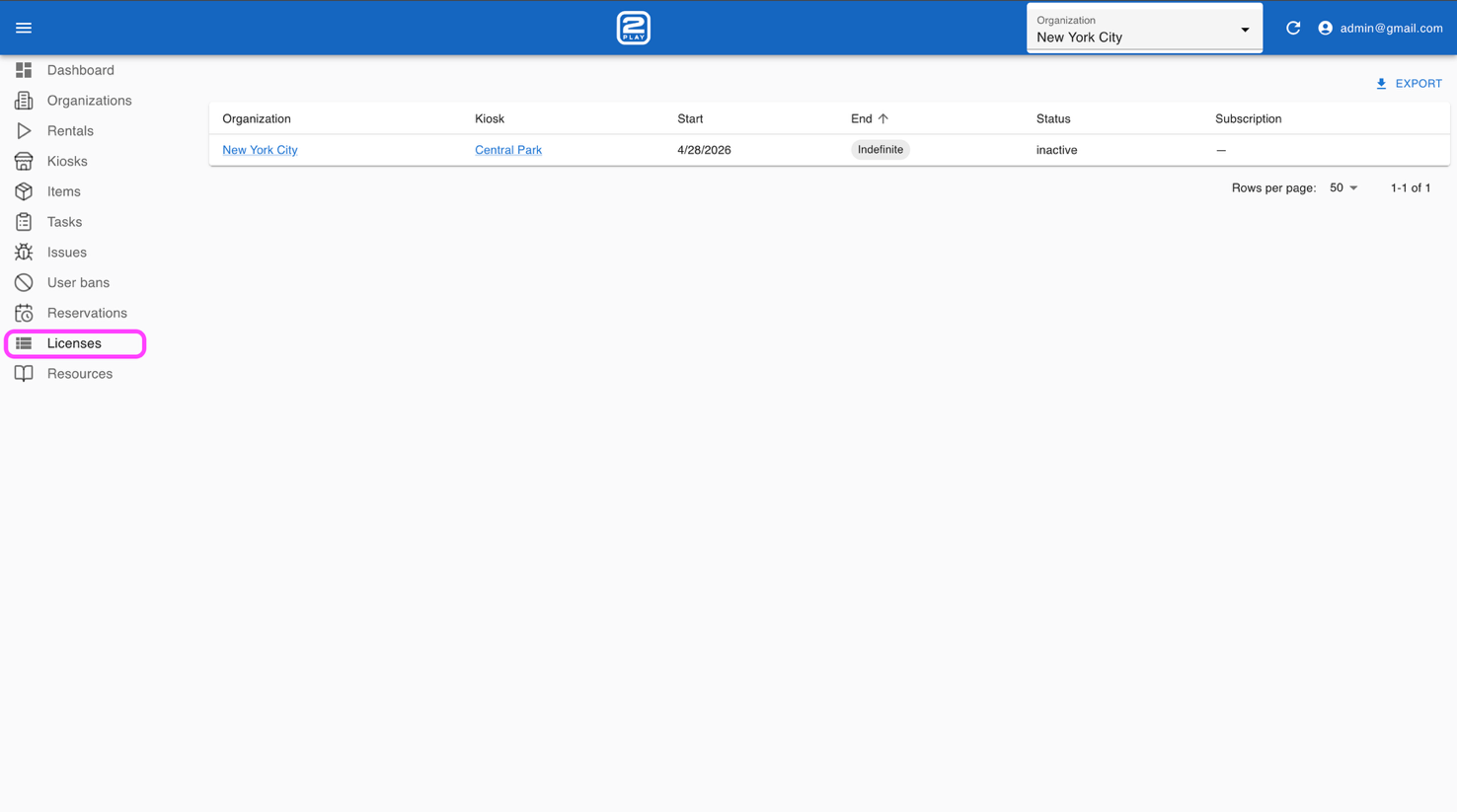
Licenses section in PlayPortal